An on-call engineer at LinkedIn gets paged for a latency spike, pastes the alert link into a coding agent, and a few minutes later has a root cause (a buggy PR in a downstream service), a mitigation waiting for approval, an updated incident ticket and a fix PR. Ajay Prakash, a senior staff engineer at LinkedIn, opens his QCon AI Boston talk with that scenario. He then spends 45 minutes explaining the system behind it. LinkedIn calls it CAPT (contextual agent playbooks and tools): a local MCP server that serves thousands of tools and more than 600 playbooks to about 8,000 daily users.
The talk is useful because it’s a production retrospective. Prakash explains what failed first, which design choices held up, and how the catalog stays maintained once anyone in the company can add to it.
Why vibe coding failed on a mature codebase
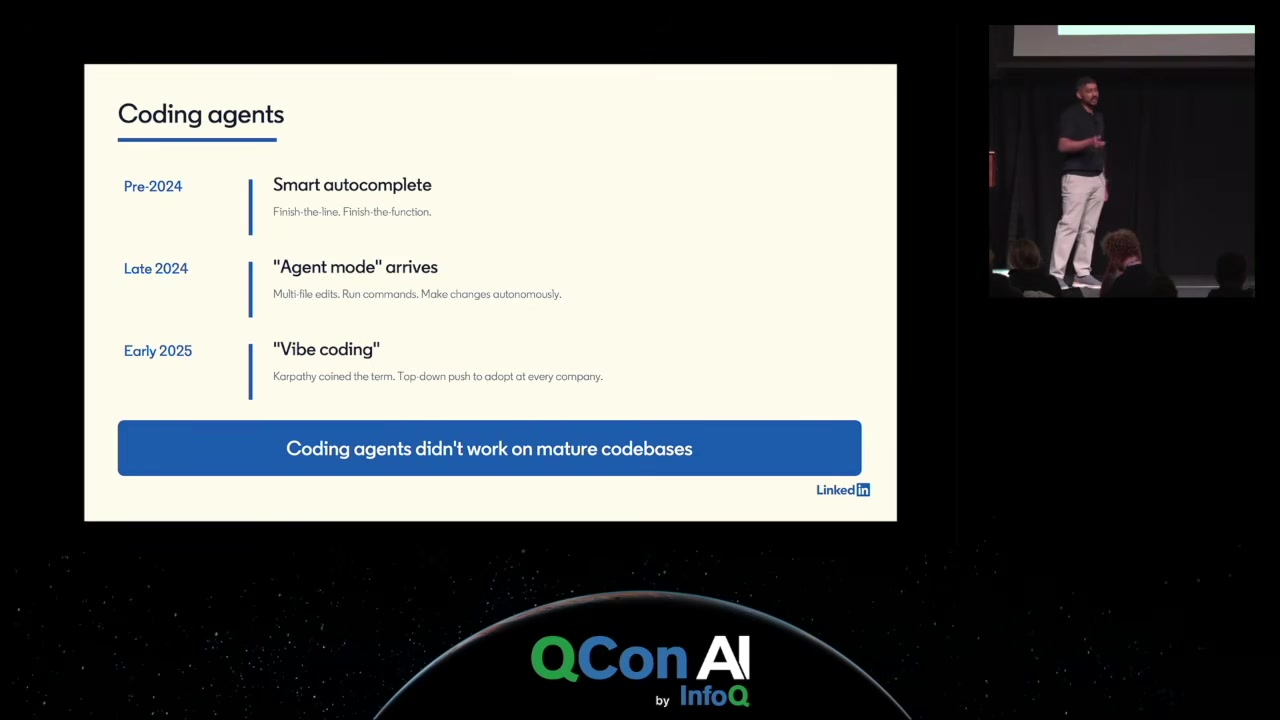
LinkedIn gave every engineer agent-mode coding tools early. On LinkedIn’s own code the results were poor. The stack is thousands of repos and microservices built on internal frameworks at every layer, plus custom databases, tracking, experimentation, observability and config systems. New hires spend a week in bootcamp and several more weeks before they’re productive. Agents got none of that onboarding, so they either produced weak code or hallucinated APIs, and engineers ended up writing long prompts to steer them. Many went back to coding by hand.
The question the team set itself was narrower than “make agents smarter”: how does any coding agent learn enough about LinkedIn to ship code engineers can trust?
Tools first, then the context gaps
MCP arrived at the right moment. The first tool was LinkedIn’s existing code search, which already indexed every repo and supported keyword, regex and file-type filters. Wrapped as an MCP tool, it let agents look up how LinkedIn code actually looks instead of relying on what they learned from open-source pretraining. Agents turned out to be good at running a search many times with different phrasings until they found the right example. Docs and wikis, feature flags, task management and the data platform followed.
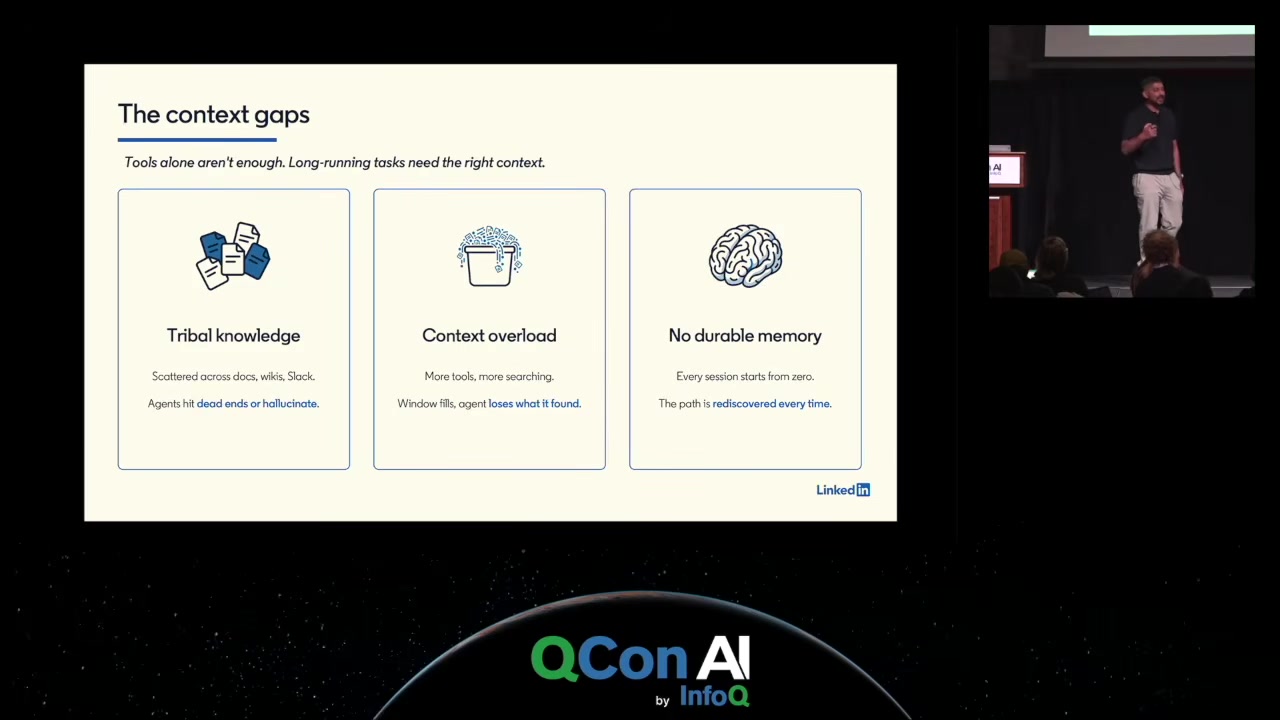
Tools alone still didn’t get slightly complex tasks done end to end. Prakash names three gaps:
- The tribal knowledge isn’t findable. How to install dependencies, build and test is scattered across docs, wikis, Slack threads and senior engineers’ heads.
- Context overloads. Every tool result eats context window, and when the window fills, compaction throws away what the agent found and it runs the same searches again. That’s the loop where an agent seems to forget what it was doing.
- Nothing is remembered. Next session, the agent rediscovers the whole path from scratch, which is slow and burns tokens.
Playbooks as procedural memory

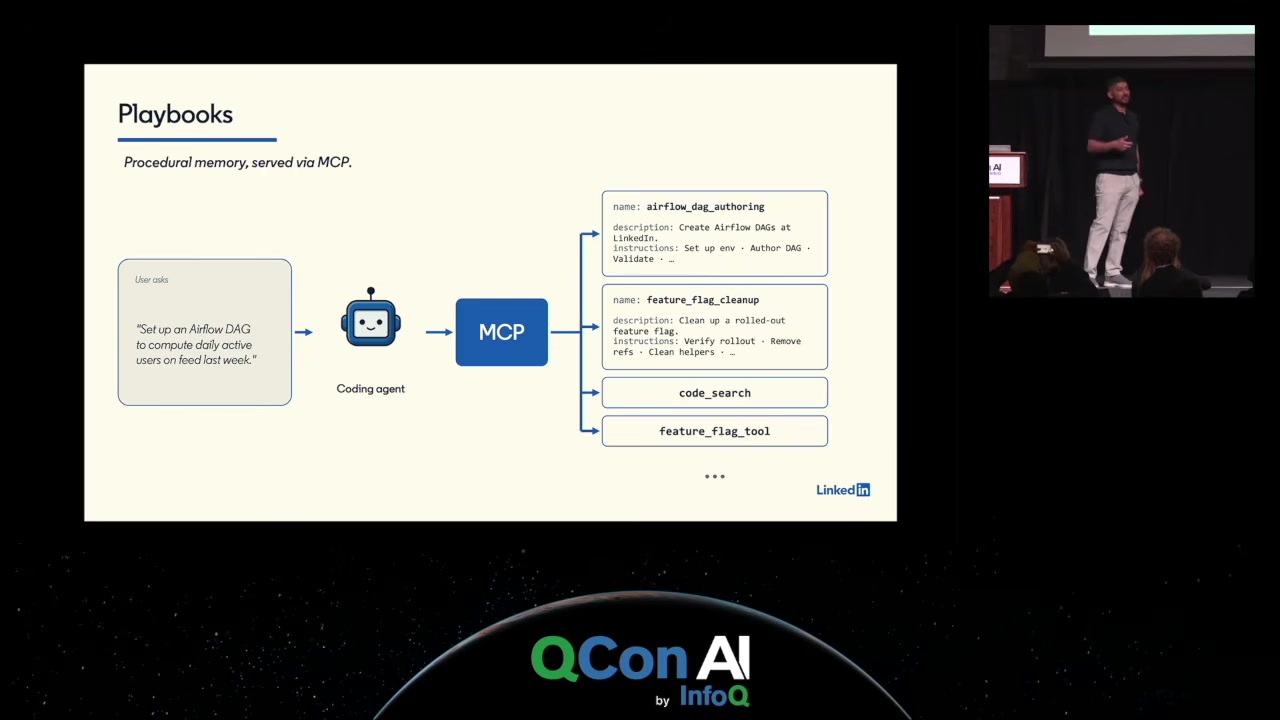
The fix is procedural memory: when an agent has worked out how to do a task, store that path and hand it back next time. LinkedIn built this before Anthropic’s Agent Skills existed and called the result playbooks. Each one has a name, a description and instructions, and is exposed through the same MCP server as a callable tool. Invoking it returns the instructions as tool output. Ask the agent to “set up an Airflow DAG” and it finds the Airflow playbook and follows it, asking the user for anything the playbook leaves open. Playbooks live in a central repo and anyone can add one.
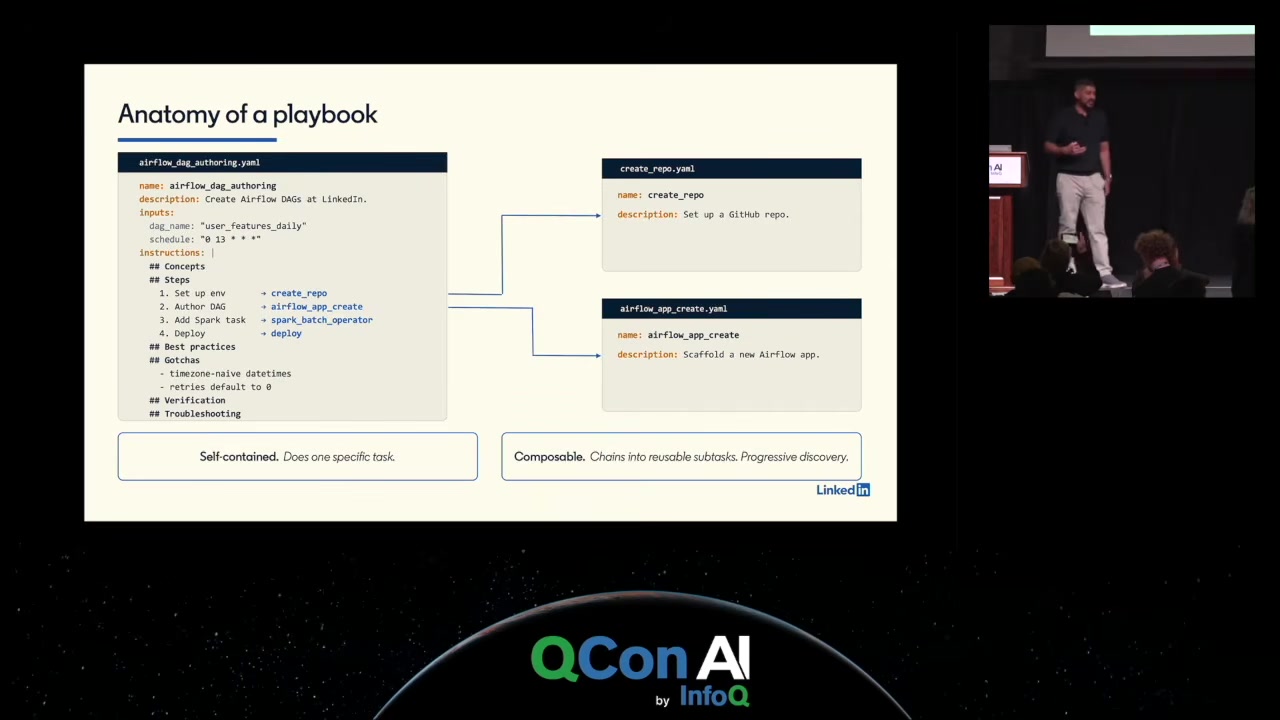
Two design rules came out of this. A playbook should be self-contained and do exactly one thing; if it does several, split it. And playbooks should compose: a long playbook references smaller ones (the Airflow playbook calls create_repo, for instance). Composition gives reuse, and it gives progressive disclosure. The agent only loads a sub-playbook if it needs it, so the context stays small. Followed consistently, the result is a graph of organisational knowledge that an agent can walk for longer tasks.
Keeping playbooks from rotting
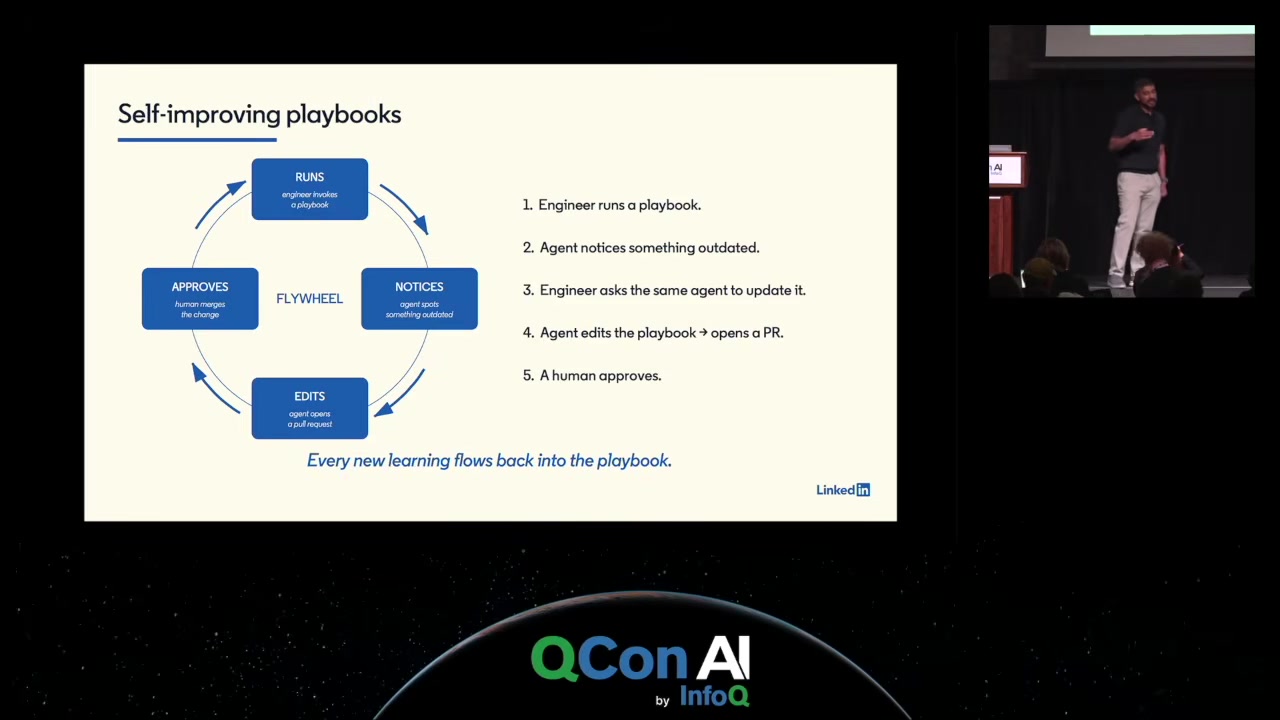
Any knowledge base goes stale. Prakash’s argument is that agents handle this better than wikis do, because they improvise. When a command in a playbook fails, the agent reads the error, tries alternatives, searches code and docs, and asks the user if it hits a dead end. LinkedIn’s system prompt tells agents to note outdated steps and edge cases, summarise them at the end of the session, and open a PR against the playbook. A human approves it. So a playbook doesn’t have to be right on day one, and the ones that get used most get fixed most.
Architecture: one local server, two kinds of playbook
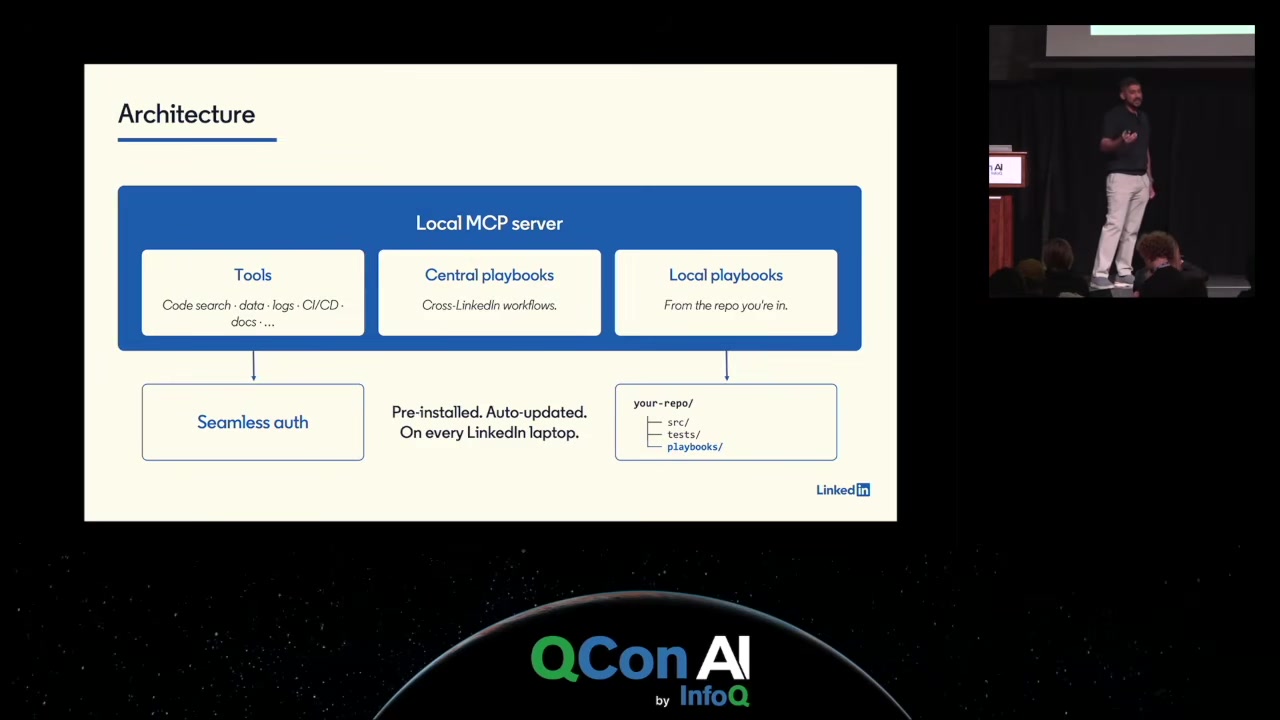
The MCP server runs locally on every LinkedIn laptop, comes pre-installed and auto-updates every hour, so a new tool or playbook reaches everyone within an hour of merging. Running locally means it can see the filesystem. When it starts it checks the current workspace for a playbooks/ directory and loads those local playbooks, which are versioned with the repo they describe. Central playbooks are only for workflows that span repos.
Tools need credentials, so the server includes an auth layer: the first call triggers an OAuth flow, tokens go into the OS keychain, and later calls refresh them silently. Because all tools go through one platform, every tool gets an infosec review before shipping, which Prakash treats as a requirement given how new MCP’s security story is.
Getting past the 30-tool ceiling
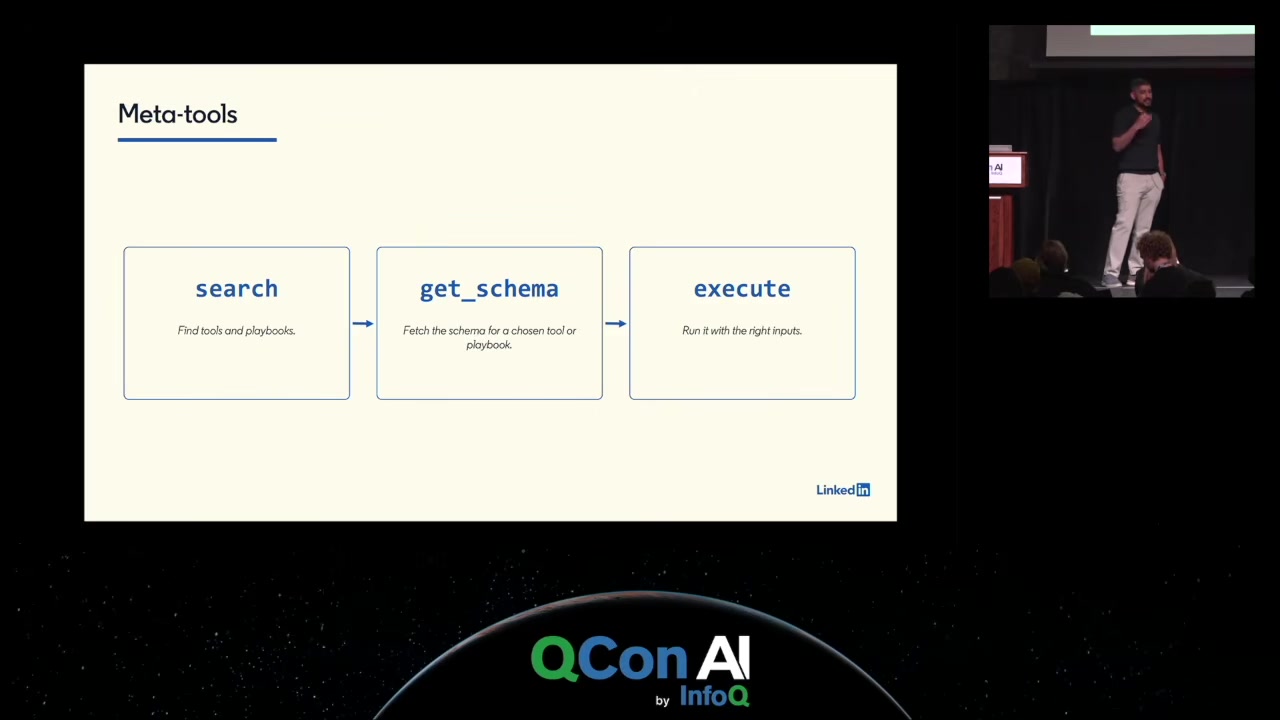
Each tool definition takes up context, and Prakash says that past roughly 30 tools the agent slows down and compacts more often, even if it never uses most of them. LinkedIn exposes only three meta-tools instead: search (keyword and tag search across tools and playbooks), get_schema (fetch the input schema for the chosen one) and execute. That’s how the catalog grows to thousands of entries. In Q&A he adds a detail: each tool carries a long and a short description, and the short one alone is enough for the agent to pick correctly from search results.
Ownership and what people actually use it for
A central platform team owns the MCP server and a set of core tools, and is on call for them. Everything else follows open contribution: the team that adds a tool or playbook maintains it. Usage is measured per tool and per playbook, and anything unused or unmaintained gets deprecated aggressively. Duplicate playbooks are caught in code review, by humans and by a reviewing agent told to look for overlap.
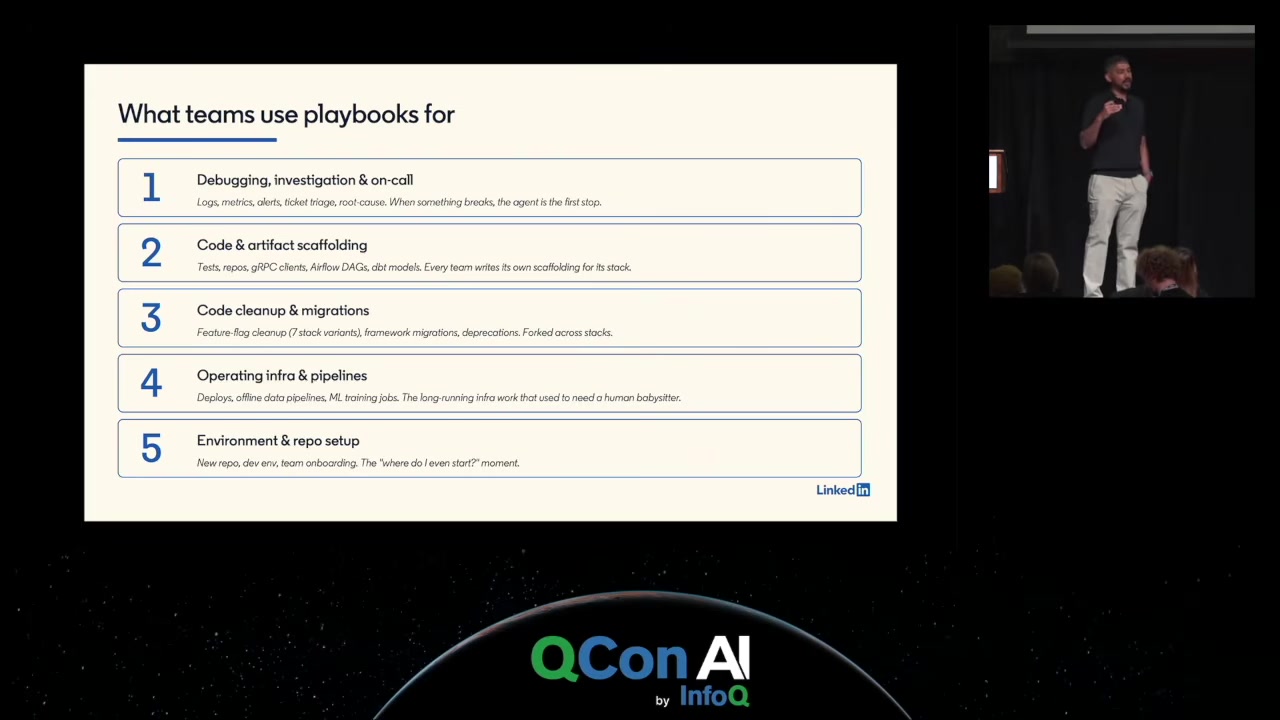
Users aren’t only engineers; product managers, designers and TPMs use the tools too. The five biggest playbook categories:
- Debugging, investigation and on-call. Teams are turning their runbooks into playbooks, and searching logs for the one bad line is work humans are happy to hand over.
- Code and artifact scaffolding, i.e. the boilerplate that internal frameworks require.
- Cleanup and migrations. A team publishes a migration playbook and dependent teams run it with an agent.
- Operating infrastructure and pipelines, including offline data pipelines and ML training jobs.
- Environment and repo setup for new engineers.
Prakash also says every playbook needs verification steps so the agent can check its own work.
Next on the roadmap: background agents that mine PRs, agent sessions and telemetry to write new playbooks, and offline jobs that update existing playbooks without a human remembering to ask. Asked about results, he reports roughly a 20% productivity increase with no measurable drop in reliability, and says quality guardrails were in place from the start.
Key takeaways
- Handing engineers agentic coding tools doesn’t make them productive on a large internal codebase. The missing piece is company-specific context, not model capability.
- Wrapping existing internal search (code, docs, flags) as MCP tools was the first big gain, because agents search iteratively better than people do.
- Procedural memory, stored as small composable playbooks, deals with tribal knowledge, context overload and the lack of durable memory together.
- Progressive disclosure through playbook composition is a context-budget technique as much as a reuse technique.
- Let agents fix playbooks as they use them, with a human approving the PR, rather than trying to write perfect documentation up front.
- Past about 30 tools, replace the tool list with search, get-schema and execute meta-tools, and write short descriptions that work on their own.
- A central team owning the server, contributing teams owning their tools, per-tool usage metrics and aggressive deprecation are what keep an open catalog maintained.
- Put quality and reliability guardrails in from day one, and treat developer experience as a feature that needs ongoing work.
Source
- Talk: Context Engineering for Coding Agents Across 1,000 Repos
- Speaker: Ajay Prakash, Senior Staff Engineer, LinkedIn
- Event: QCon AI Boston 2026 (published by InfoQ, 22 October 2026)
- Length: 50 min
- Video: https://www.youtube.com/watch?v=ISdTqzYQiHg